
NRA
National Rifle Association of AmericaNews & Magazines
3.122.00 Reviews
- Version
- 1.0.8
- Installs
- 10.00K
- Age Rating
- Teen
Screenshots
Our Review of NRA
 Analysis by Appyee
I approached NRA as a focused news and membership companion rather than as a general-purpose news reader. Its purpose is fairly clear: bring together NRA news, training material, event information, a digital identification card, and member benefits in one mobile space. That combination makes it more practical for an existing NRA member than for someone simply looking for a broad daily news app.
In my experience, the app makes the most sense when I want organization-specific information without switching between a mobile browser, email messages, saved documents, and separate event pages. The idea is convenient, but the usefulness depends heavily on whether those particular resources are relevant to my routine. If they are, the app has a distinct role. If they are not, its narrow focus becomes the main limitation.
How the app feels in its current state
The application comes from the National Rifle Association of America and sits in the News & Magazines category. It is free to install, carries a Teen content rating, and supports devices running Android 5.0 or later. Those requirements make it accessible to people using older Android hardware, although the experience on an older phone can naturally feel less comfortable than on a recent device.
The current release is version 1.0.8, which is important context when judging the app. I see it as a relatively early product rather than a mature platform with years of refinement behind it. That does not automatically make it poor, but it does affect how I evaluate small interface annoyances, uneven polish, and the possibility that some parts of the experience will evolve as more people use it.
Public interest so far appears modest, with more than ten thousand installs. The average stands at 3.1 from dozens of ratings, while the store shows a smaller set of written reviews. I would not treat that score as a complete verdict, because the audience is specialized and the number of responses is limited, but it does suggest that expectations should remain measured. I would install it for its specific functions, not because it has already established itself as a universally dependable news platform.
The first thing I would do after installation is decide what I actually need from it. If my priority is the digital ID card, I would check that area immediately and make sure I can reach it quickly before attending an event or needing to show membership information. If training resources matter more, I would browse those next and note how easy it is to return to them. This simple setup habit matters because a membership app is most valuable when it saves time at the moment I need it.
News is useful here because it is tied to the organization
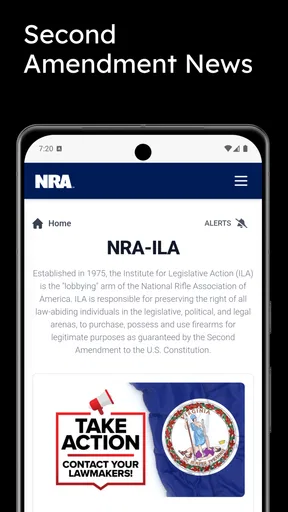
The news side is not trying to replace a complete newspaper, a wire service, or a personalized feed covering every subject. Its value comes from being connected to the NRA’s own information ecosystem. For a member who wants organization-related updates, that focus can be more useful than filtering a general news app full of unrelated stories.
There is also a trade-off. A broad news application usually offers stronger topic variety, more advanced discovery, and a wider mix of viewpoints. This app is better understood as a direct channel for NRA-related material. I would use it alongside a normal news reader rather than expecting it to handle my entire morning news routine.
That distinction is especially important for readers who are curious about the organization but are not members. The app may still provide relevant material, yet the digital card and member benefits are likely to be the parts that give it a reason to stay installed. Without those needs, a mobile website or a broader news source may be sufficient for occasional reading.
Training resources need a deliberate browsing habit
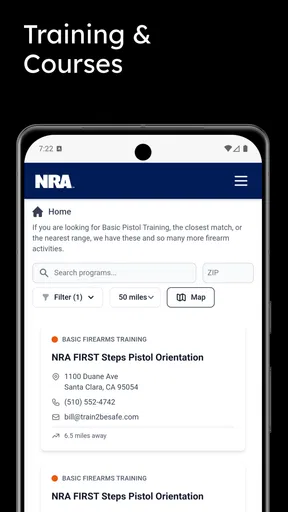
The training section is one of the more meaningful reasons to keep the app available, but I would not treat a mobile resource as a replacement for hands-on instruction, qualified guidance, or careful practice. Its strongest role is as a reference point: something I can consult before a session, revisit afterward, or use to remind myself where relevant material is located.
A practical workflow would be to browse the training material when I have time, identify the resources that apply to my goals, and return to those rather than searching from scratch every time. I would also avoid relying on a quick glance at a phone in a situation where attention and safety require concentration. The app can support preparation and review; it should not encourage distracted use during activities that demand full focus.
This is a less obvious strength of having news, training, and membership tools together. The app can become a personal starting point for organization-related tasks, even if I still use other sources for detailed learning. The weakness is that a single destination can feel convenient without necessarily offering the depth, structure, or personal feedback of a dedicated training service.
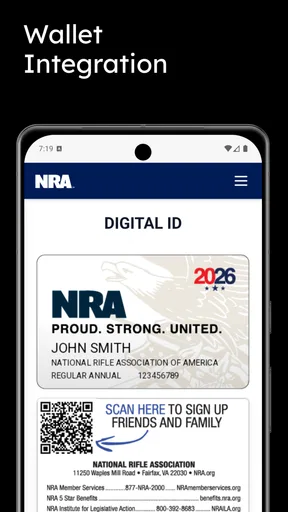
The digital ID card is the feature that can justify regular use
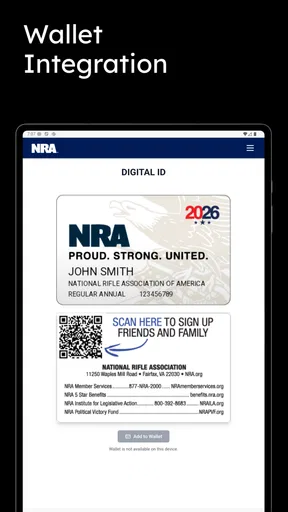
For many people, the digital ID card may be more valuable than the news feed. News can be read elsewhere, but a membership credential is something I may want available at a specific moment. I would open the app before leaving for an event or meeting, sign in if necessary, and confirm that the card is easy to locate while I have a stable connection and enough battery.
That preparation is worth doing early rather than waiting until I am standing at a check-in desk. A digital credential is only convenient if I can access it quickly, remember the required account details, and keep my phone usable. I would also avoid assuming that it should replace any physical identification or event instructions. The app gives me a mobile option, but sensible backup planning remains important.
This is where the product differs from a normal news app. The card creates a concrete, occasional task that can bring me back to the application. It also changes how I judge the interface: the path to the credential should be obvious, and the screen should remain readable under ordinary real-world conditions. Even a well-written news section cannot compensate for a confusing membership workflow.
Events and member benefits make the app more practical
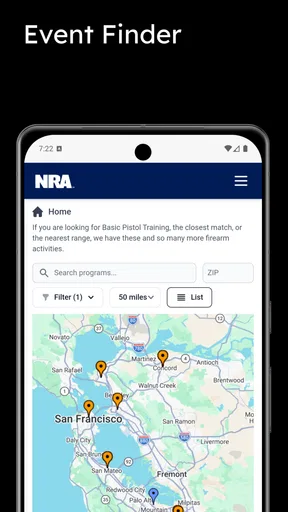
The event area gives the app a planning function. Instead of treating it only as a place to read, I can use it when deciding which NRA-related activities are relevant to me. I would check event information before making travel plans, then revisit it closer to the day so that I am working from the latest details available inside the app.
That workflow highlights a useful trade-off: a centralized event area is easier to manage than scattered bookmarks, but it still requires me to verify the details at the right time. I would not save an old screen and assume it remains current. Event information can affect schedules and travel, so opening the app again before leaving is a sensible habit.
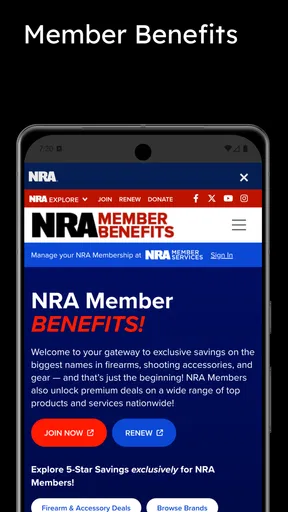
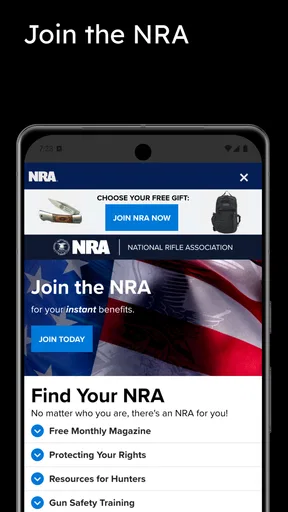
Member benefits are another reason the app may earn a permanent place on a member’s phone. The benefit is not simply having a list; it is having a reminder to check what is available when making a purchase, planning an activity, or reviewing the practical value of membership. I would browse this section periodically instead of only looking at it during installation, because its usefulness is easy to overlook when I am focused on news.
What version 1.0.8 means for existing users
Version 1.0.8 gives current users a clear reference point when discussing the app’s present state. I would update to that release before judging older behavior, especially if I had installed an earlier build and noticed navigation problems or missing content. Staying current is particularly sensible for an app whose purpose includes account-related tools and a digital card.
At the same time, I would separate confirmed present features from hopes about future development. The current product already covers news, training resources, events, a digital ID card, and member benefits. That is the foundation I can evaluate today. I would not assume that a later release will add richer personalization, offline access, broader news coverage, or deeper account controls unless those changes are actually announced and available.
For an existing user, the most useful test is not whether the app contains many sections. It is whether the sections reduce friction in real situations. Can I find the card before an event? Can I return to a training resource without losing time? Can I locate an upcoming activity and remember to check it again? Can I discover a benefit when it is relevant? These practical questions tell me more than a feature checklist.
I would also evaluate how often I genuinely return. If I open the app only once to read a headline and never use the membership tools, it may not deserve a permanent spot on my home screen. If I attend events, consult training content, or regularly use member benefits, the same app becomes much easier to justify. Its value is usage-dependent rather than universal.
Where it still feels limited
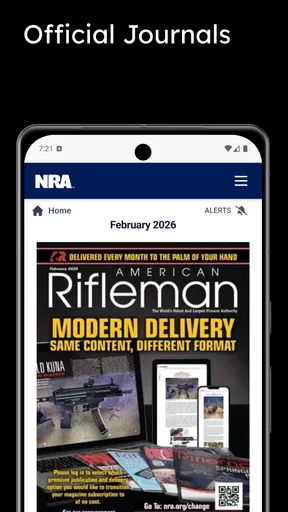
The biggest limitation is focus. NRA is designed around one organization, so it cannot replace the breadth of a general news application. Someone who wants international reporting, local coverage, technology news, entertainment, and multiple perspectives will need another app. I would not criticize it for that narrow purpose, but I would be disappointed if I installed it expecting a complete magazine reader.
The second limitation is that the app’s most important features may be occasional-use tools. A digital card and event information can be extremely useful at the right time, yet they may not create daily engagement. That means the app needs to be quick and dependable when opened after a long gap. If I have to relearn the navigation each time, the convenience advantage becomes smaller.
Account access is another area where I would plan ahead. Any membership-focused application can become frustrating if I wait until an urgent moment to remember credentials or complete setup. I would sign in at home, explore the card and benefits sections, and resolve ordinary access issues before attending an event. That is not glamorous advice, but it is the difference between a helpful tool and a source of last-minute stress.
I would also keep expectations realistic about using it as a source for important decisions. News and training material can inform my preparation, but I would still compare significant information with official event instructions, qualified educators, and other trustworthy sources where appropriate. A convenient mobile interface should not be mistaken for a complete substitute for context or personal guidance.
Who should install it, and who should skip it
I think the app is best suited to current NRA members who want one place for their digital credential, organization-related news, training resources, events, and benefits. It is also reasonable for someone preparing to attend NRA activities and wanting to organize those details on a phone instead of keeping several browser tabs open.
I would be more cautious if I were only looking for general firearms education, because the app’s training area should be viewed as part of the NRA ecosystem rather than as a complete learning path for every need. I would also skip it if my main goal were broad, independent news coverage. A general news reader will almost certainly be a better primary choice for that purpose.
People who dislike signing into organization-specific apps may find the trade-off less attractive. The free price removes the financial barrier to trying it, but free does not mean frictionless. The real cost is attention: learning where the useful sections are, keeping account access ready, and remembering to check event details when plans matter.
What I would watch as the app develops
Because the current release is still early in its version history, I would watch for improvements that make repeat use faster rather than simply adding more sections. Clearer shortcuts to the digital ID card, easier return paths for training material, and a smoother way to revisit events would have a direct effect on daily usefulness. Those are the kinds of changes that would help existing users immediately.
I would also pay attention to how consistently the app balances its different roles. News readers, event planners, training references, and membership wallets have different design needs. A crowded home screen could make every feature technically available while making none of them feel effortless. The best evolution would preserve the focused purpose while reducing the number of steps required for common tasks.
Another important point is trust in the information flow. When I use an event tool or a digital credential, I want confidence that I am looking at the current version of the relevant information. I would therefore judge future releases by clarity and reliability, not merely by visual changes. A small improvement that helps me confirm what is current can matter more than a large redesign.
My overall view is cautiously positive for the right audience. NRA is not a universal news app, and its 3.1 average rating shows that I should approach it with realistic expectations rather than assume every user will find it polished. Still, the combination of organization-specific news, training resources, events, a digital ID card, and member benefits gives it a purpose that a normal news reader does not have.
I would recommend trying it if those membership tools are relevant to your life, especially after setting up the account and checking the card before you actually need it. I would keep a broader news app and other trusted learning sources alongside it, because this application works best as a focused companion rather than a complete replacement. Its strongest quality is convenience at specific moments, not endless content for everyone.
Verdict
Strengths of NRA
- Provides firearm safety education and responsible ownership resources.
- Includes training information for new and experienced gun owners.
- Offers updates on NRA programs, events, and membership benefits.
- Content is organized for quick access on mobile devices.
- May help users find local courses and NRA-affiliated activities.
Limitations of NRA
- Some content may require membership or external account access.
- The app’s focus may not appeal to users uninterested in firearms.
- Information can reflect the NRA’s particular organizational viewpoint.
- Course and event availability may vary significantly by location.
- Notifications may feel promotional or excessive for some users.
Similar Picks in This Category
View All
Google News - Daily Headlines
Google LLC4.0

X
X Corp.4.8

Flipboard:Your Social Magazine
Flipboard3.4

Opera News: breaking & local
Opera4.5

Hindi News by Dainik Bhaskar
Dainik Bhaskar Group4.0

Way2News Daily News App
Way2News ( Formerly Way2SMS )4.6
Frequently Asked Questions
What is the NRA app used for?
The NRA app is designed to give members and interested users convenient access to NRA-related information and services from a mobile device. Depending on the version and your location, it may include news, articles, educational resources, membership information, event details, alerts, and links to additional NRA content. The exact features can change with updates, so reviewing the current store description is recommended.
Is the NRA app free to download and use?
Downloading the NRA app is generally free on supported Android and iOS devices, although some content or services may be intended for members, donors, event participants, or registered users. The app itself may not require a purchase, but membership fees, donations, event charges, or other optional transactions can be handled through related services. Always check the official store listing for current pricing information.
Do I need an NRA membership to use the app?
You may be able to install and browse parts of the NRA app without an active membership, particularly public news, general information, or educational material. However, certain features could require signing in with an NRA account or verifying membership details. If you are downloading the app for member benefits, confirm which tools are available to non-members before creating an account or completing the installation.
What permissions and personal information does the NRA app require?
The permissions requested by the NRA app can vary according to your device, operating system, and the features you choose to use. Possible requests may include notifications, internet access, location-related services, or account information. Before accepting permissions, review the app’s privacy policy and the permissions shown in Google Play or the App Store. You can usually manage many permissions later in your device settings.
Is the NRA app available for both Android and iPhone?
Availability depends on the specific NRA app you mean, because organizations may publish more than one official application or update an existing product over time. Check that the developer name, logo, description, and website link match the official NRA before downloading. The latest Android and iOS requirements, supported countries, and compatibility details are listed on the relevant Google Play or Apple App Store page.
